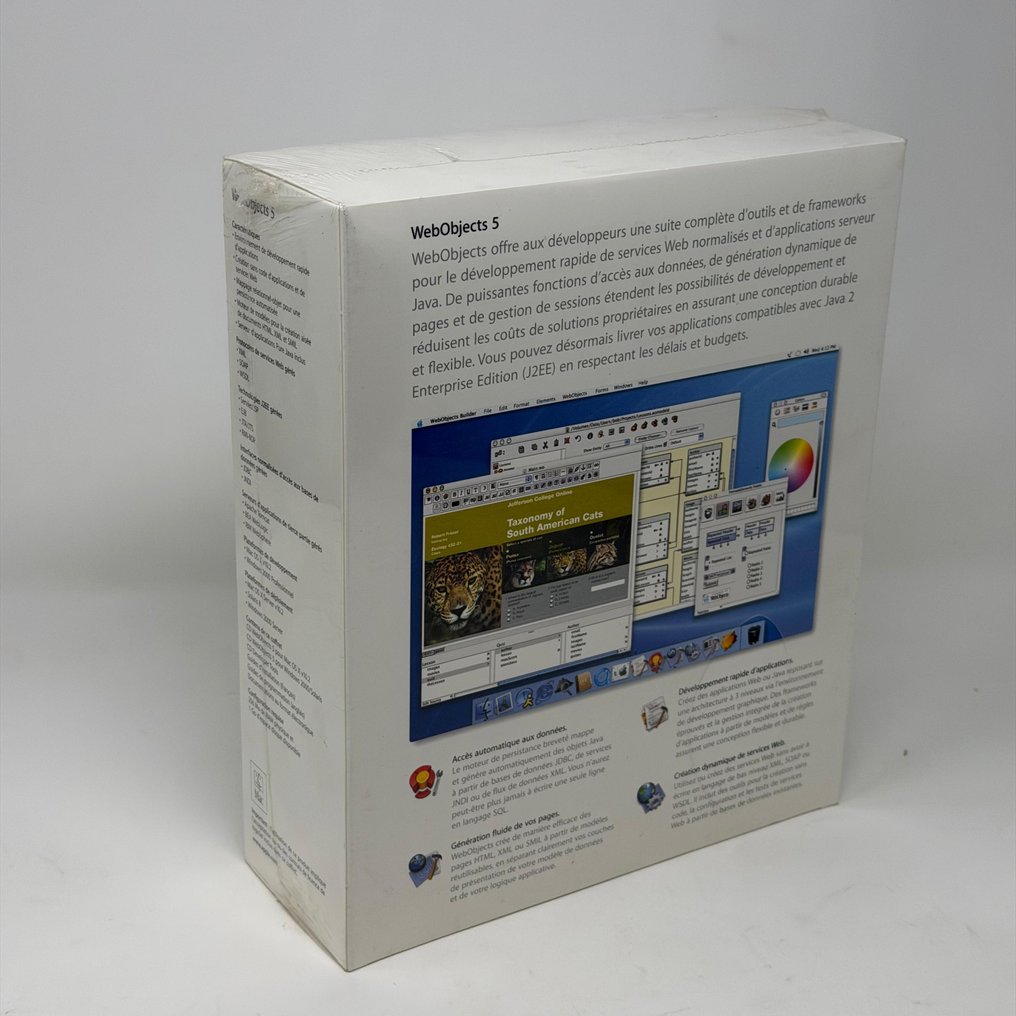
Apple Apple WebObjects 5.2 - SEALED - Computer software - In original sealed box


06
days
23
hours
22
minutes
59
seconds
Starting bid
€ 1
No reserve price

Expert
Selected by Toby Wickwire
Specialises in video games and computer collectables with 40 years' collecting experience.
Estimate € 190 - € 230
No bids placed
Catawiki Buyer Protection
Your payment’s safe with us until you receive your object.View details
Trustpilot 4.4 | 121899 reviews
Rated Excellent on Trustpilot.
Apple WebObjects 5.2 sealed in original box (2002).
AI-assisted summary
Description from the seller
Apple WebObjects 5.2 Complete SEALED
WebObjects is an environment for developing interactive websites. The Java language is used to implement server-side behavior; the client side is mostly HTML...
WebObjects is much more than that. It also falls into the Application Server category. What is that? In the past, a 'Server' would consist of just a Database. Nowadays, a Server can also handle distributed transactions, multi-tier architecture, load balancing, business logic, Enterprise JavaBeans, and other concepts and technologies involving more advanced server-side intelligence. An environment that helps with the development and deployment of such complex Servers is called an Application Server.
WO consists of multiple tools that are tightly integrated.
Project Builder: lets you browse the source code and manage the project.
WebObjects Builder: allows you to assemble a web page.
Enterprise Object Modeler: allows you to connect your Web Application to a database.
Interface Builder: allows you to create Java applications and applets that connect to the WebObjects server for executing business logic and database access.
Direct To Web: a wizard that creates a complete database-driven customizable Web application.
Direct To Java Client: a wizard that creates a complete database-driven customizable Java program or applet.
Monitor: a remote task monitoring and performance analysis utility.
Other smaller utilities like a 'Diff' utility, debugging tools, etc. Other modules are included, yet they are not visible.
Web Setter Adaptor: plugs into your Web Server to connect it to Web Objects.
JDBC Database Adaptor; connects WebObjects to a database driver.
The frameworks, which are powerful programming libraries, support the entire WebObjects system. We refer to them as the Foundation, WebObjects, and Enterprise Object Frameworks. The preceding tools utilize the frameworks and even generate some code that uses them...
In a typical WebObjects application, the focus is the project file, which points to the different components of the application. The Project Builder manages this file. Then, to create the Web Components (Web pages), you usually run the WebObjects Builder program. When a component makes use of a database, you have to use a model to link the tables of the database to your system's objects. This model is created using the EO Modeler. To let a user connect to your site, you need a Web Server containing the WebObjects Adaptor. There's more on each of these parts later on.
Lastly, WebObjects is also an IDE for developing Cocoa and Carbon applications, but this column deals only with Web applications.
Apple WebObjects 5.2 Complete SEALED
WebObjects is an environment for developing interactive websites. The Java language is used to implement server-side behavior; the client side is mostly HTML...
WebObjects is much more than that. It also falls into the Application Server category. What is that? In the past, a 'Server' would consist of just a Database. Nowadays, a Server can also handle distributed transactions, multi-tier architecture, load balancing, business logic, Enterprise JavaBeans, and other concepts and technologies involving more advanced server-side intelligence. An environment that helps with the development and deployment of such complex Servers is called an Application Server.
WO consists of multiple tools that are tightly integrated.
Project Builder: lets you browse the source code and manage the project.
WebObjects Builder: allows you to assemble a web page.
Enterprise Object Modeler: allows you to connect your Web Application to a database.
Interface Builder: allows you to create Java applications and applets that connect to the WebObjects server for executing business logic and database access.
Direct To Web: a wizard that creates a complete database-driven customizable Web application.
Direct To Java Client: a wizard that creates a complete database-driven customizable Java program or applet.
Monitor: a remote task monitoring and performance analysis utility.
Other smaller utilities like a 'Diff' utility, debugging tools, etc. Other modules are included, yet they are not visible.
Web Setter Adaptor: plugs into your Web Server to connect it to Web Objects.
JDBC Database Adaptor; connects WebObjects to a database driver.
The frameworks, which are powerful programming libraries, support the entire WebObjects system. We refer to them as the Foundation, WebObjects, and Enterprise Object Frameworks. The preceding tools utilize the frameworks and even generate some code that uses them...
In a typical WebObjects application, the focus is the project file, which points to the different components of the application. The Project Builder manages this file. Then, to create the Web Components (Web pages), you usually run the WebObjects Builder program. When a component makes use of a database, you have to use a model to link the tables of the database to your system's objects. This model is created using the EO Modeler. To let a user connect to your site, you need a Web Server containing the WebObjects Adaptor. There's more on each of these parts later on.
Lastly, WebObjects is also an IDE for developing Cocoa and Carbon applications, but this column deals only with Web applications.
Details
Brand
Apple
Series/ Model
Apple WebObjects 5.2 - SEALED
Year of Manufacture
2002
Condition
New
In working order
Yes
Packaging
In original sealed box
Sold by