No. 103044184

No. 103044184
Wat kan de ESU LokProgrammer doen :
- Loc adressen scannen, instellen zoals bijv. Wijzigen van alle digitale parameters van de LokSound-decoder zoals locomotiefadres, acceleratie, maximale snelheid, remvertraging, lamphelderheid etc.
- Het geluid wijzigen dat is opgeslagen op de LokSound-module Instellen.
- Alle opties kunnen comfortabel met de muis op de pc worden ingesteld - geen omslachtige invoer van CV's (configuratievariabelen ) op de besturing!
- Herstel geluidsgegevens en breng deze over naar de LokSound-decoder. U kunt elk geluid gebruiken dat u op de harde schijf van uw pc kunt laden.
- Geluiden kunnen worden toegewezen aan verschillende evenementen.
- Extra geluiden activeren via de functietoetsen
- LokProgrammer is ook handig voor alle andere ESU-decoders; ongeacht of het een DCC, multi-protocol, M4-decoder is. Met zijn hulp kunt u eenvoudig en gemakkelijk alle instellingen van de betreffende decoder wijzigen.
- helpen om de parameters voor het regelen van de belasting of de snelheidstabel te optimaliseren.
- LokProgrammer is ook handig voor het updaten van decoders. Vrijwel alle ESU-decoders kunnen worden bijgewerkt, zodat indien nodig nieuwe softwareversies kunnen worden geïnstalleerd. Hiervoor heeft u alleen de LokProgrammer en een klein, natuurlijk gratis updateprogramma in ons softwaregebied nodig
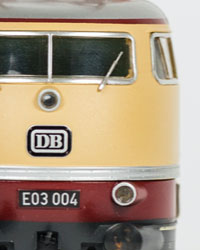
Zie de foto's voor een juiste indruk
Foto's maken deel uit van de omschriving.
Lokprogrammer is getest op werking en werkt prima.
How to buy on Catawiki
1. Discover something special
2. Place the top bid
3. Make a secure payment